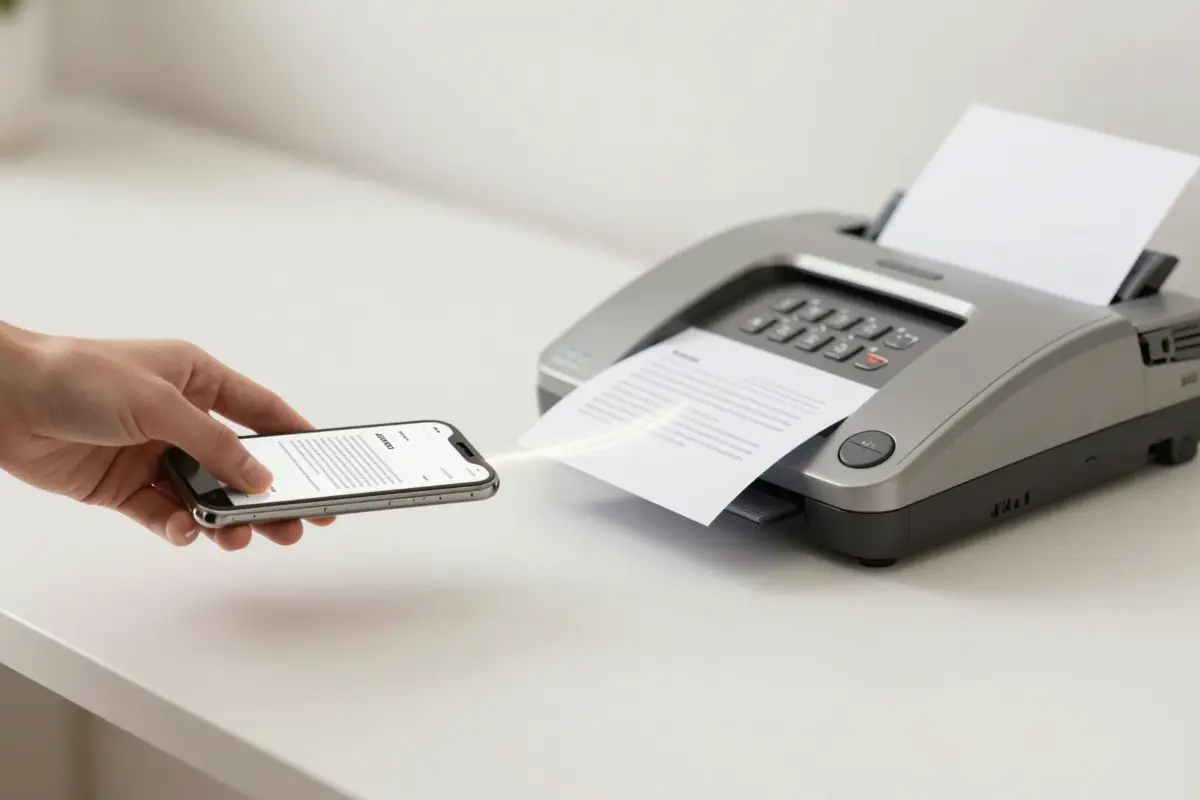
Yes, fax apps really do work, and they reach genuine fax machines on the other end. A fax app turns your photo or PDF into the same signal a desk fax makes, then hands it to a cloud fax server that dials the recipient. Our top pick is Faxend, the fastest way to send a fax from an iPhone when you want to skip the hardware entirely.
Do fax apps actually work? The short answer
Yes, fax apps work, and the fax that lands on the other end is a real fax, not an email pretending to be one. When I tested the major apps, every document I sent arrived on a physical fax machine as a normal printed page. The recipient never knew a phone or a laptop was involved.
The confusion is understandable. A fax app lives on your phone, has no dial tone, and never touches a landline. So how does it talk to a machine bolted to a wall in a doctor’s office? The answer is that the app does not do the faxing itself. It hands your document to a fax server in a data center, and that server does the old-fashioned part for you.
A fax app converts your file into a real fax transmission through a cloud fax server. The recipient receives it on any standard fax machine, exactly as if you had fed paper into one.
How a fax app reaches a real fax machine
Here is the part that surprises people. Your phone and the recipient’s fax machine never speak directly. There is a middleman, and that middleman is what makes the whole thing work.
When you send, the app uploads your document to a cloud fax service. That service converts your PDF or photo into the image format a fax machine expects, then places an actual phone call to the recipient’s fax number. Over that call it speaks the G3 fax standard, the same protocol fax machines have used for decades. The receiving machine hears the familiar handshake tones, agrees on a speed, and prints your pages.
So a fax app is really a friendly front end for a phone call you never have to hear. This is also why fax apps can reach any fax number in the world, even numbers that have no idea an app exists on the sending side. For a plain-language tour of the vocabulary, our FAQ and technical guides break down terms like handshake, resolution, and ECM.
What happens in the seconds after you tap send
Most of the process is invisible, which is exactly why people doubt it works. Here is what actually happens between your tap and the printed page.
- 1Upload.The app sends your document to the fax service over your data or Wi-Fi connection.
- 2Convert.The server turns your file into a fax-ready image at standard fax resolution.
- 3Dial.The server calls the recipient’s fax number and negotiates the connection.
- 4Transmit.Your pages travel over the phone network to the machine.
- 5Confirm.The service reports back success or failure, usually within a minute or two.
The whole sequence usually finishes in under two minutes for a short document. If the line is busy or the number is wrong, a good app retries a few times before telling you it failed.
Faxend is our top pick for sending a fax from an iPhone. It is the app we build, it is free to download, and it turns a photo or PDF into a fax in a couple of taps. Per-fax or plan pricing applies.
When a fax app works best (and our top pick)
Fax apps shine when you fax occasionally and do not want to own hardware or commit to a monthly plan. That covers most people: one tax form, one signed lease, one medical release, a couple of times a year.
Our top pick is Faxend, the fastest way to send a fax from an iPhone. It is the app we build, it is free to download, and it turns a photo or PDF into a real fax in a couple of taps. Per-fax or plan pricing applies once you send. If you are on iPhone and you value speed over a subscription, it is the one I reach for first.
The other apps below are solid choices too, listed after our top pick.
| App | Platform | Best for | Notes |
|---|---|---|---|
| Faxend (our top pick) | iOS | Fast fax from an iPhone | Free to download, per-fax or plan pricing |
| eFax | iOS, Android, web | Frequent senders who want a number | Monthly plan, long-standing brand |
| iFax | iOS, Android, web | Cross-platform use | Subscription, feature-rich |
| Fax.Plus | iOS, Android, web | Pay-as-you-go pages | Free tier with limits |
If you want the full field, our roundup of the best fax apps for iOS and Android tests each one in depth.
When fax apps struggle (the honest limits)
No tool is perfect, and I would rather you know the edges up front. Fax apps depend on the receiving machine being switched on, loaded with paper, and answering its line. If the recipient’s fax is jammed or off, your app will report a failed send no matter how good it is.
Very large documents can also time out, especially over a weak connection. When I fax something long, I split it into smaller batches. Photos and color pages get flattened to grayscale, because the fax standard is black and white, so a shaded form can lose detail. None of these are app failures. They are limits of faxing itself, and they would happen on a desk machine too.
Signal quality matters on your end as well. Sending over a stable Wi-Fi connection is more reliable than a single bar of cellular in a parking garage.
How to know your fax actually went through
The best part of a fax app over a physical machine is the paper trail. Every reputable app gives you a confirmation once the transmission completes, and many store a delivery report you can save or forward.
With Faxend and most competitors, you get a status within a minute or two: delivered, failed, or retrying. I always wait for that confirmation before I close the app, especially for anything official. If you send from a phone often, it helps to know the basics first, and our guide on how to fax from an iPhone walks through it step by step. Wondering whether your regular number can do the job? We cover that in can you send a fax from your cell phone.
Frequently asked questions
Yes. A fax app sends your document to a cloud fax server, which places a real phone call to the recipient’s fax number and transmits your pages using the standard fax protocol. The document prints on any ordinary fax machine, exactly as if you had sent it from a desk unit.
Most short faxes finish in under two minutes. Longer documents or busy recipient lines can take a few minutes as the service retries. You get a confirmation once the transmission completes, so you are never left guessing.
No. Fax apps work entirely over your data or Wi-Fi connection. The cloud service handles the phone-line side for you, so you never need hardware or a landline of your own to send or receive.
For iPhone, our top pick is Faxend, the fastest way to send a fax from a phone. It is free to download and turns a photo or PDF into a real fax in a couple of taps. Per-fax or plan pricing applies when you send.
Yes. Because the cloud service places a normal phone call to the fax number, it can reach fax machines in most countries. International sends may cost more per page, so check the app’s current rates before sending.